Software · Robot Studio
Robot Studio
Build, control and test robots in a browser-based simulator.
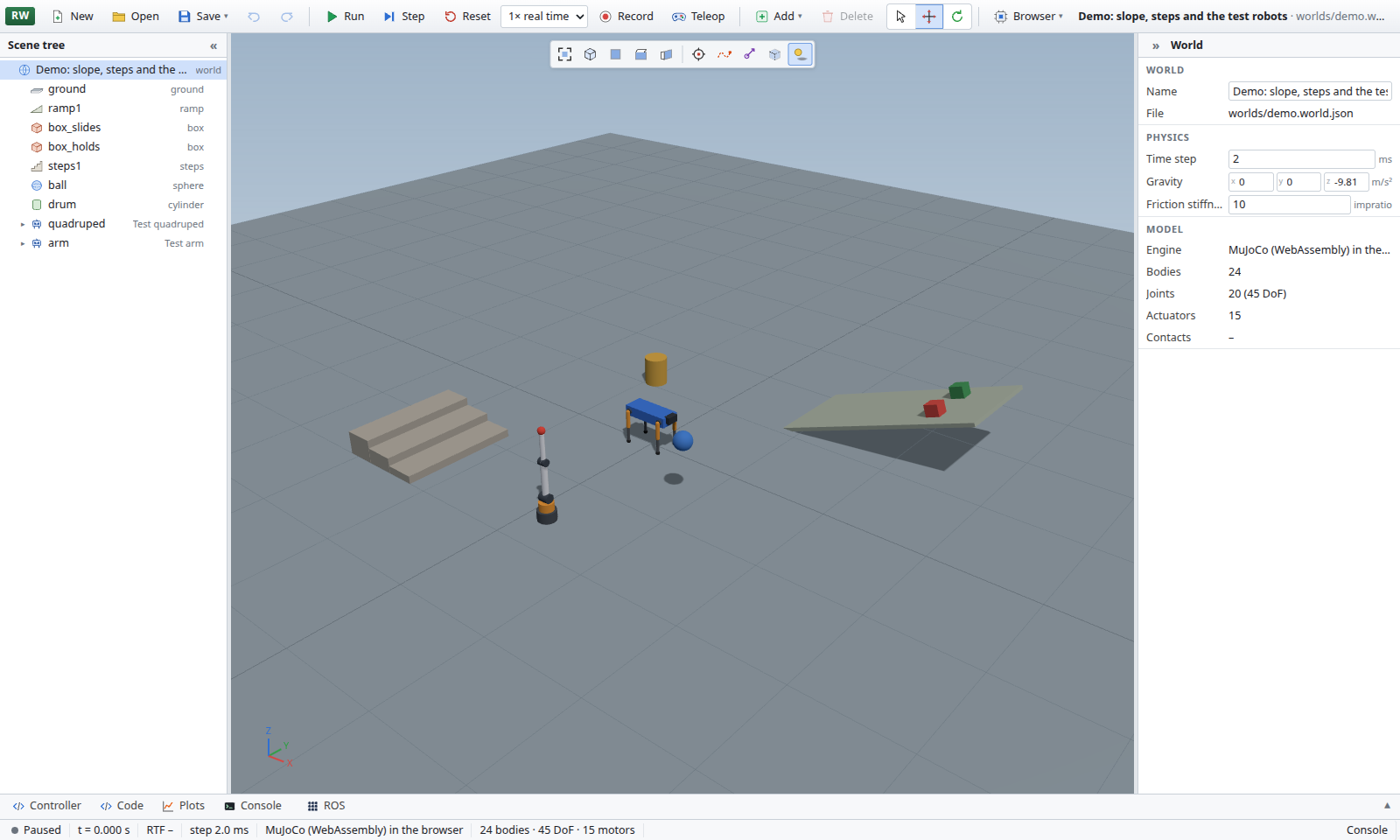
Robot Studio lets you build simulated worlds, bring in robots from your CAD models, write controllers and test their behaviour under the MuJoCo physics engine. It works with CAD Studio, using files stored in your organisation’s CAD Studio libraries.
Who it is for
Robotics Teams
Test robot designs in simulated environments before building them.
Educators
Teach robotics through world building, controller programming and simulation.
Students
Learn to program and control robots in a browser-based environment.
What it does
World Editor
Build worlds with ground, slopes, steps, rough terrain, hills, waves and objects from 3D models. Move and rotate objects with a gizmo, and undo or redo changes.
CAD-Based Robots
Turn CAD models and their motion files into robots, with masses and inertias derived from parts and their materials, plus gear couplings. Import and export robots in URDF and MJCF formats.
Two Physics Engines
Run physics in the browser or on your organisation’s own machine. Both use the same model and produce the same results.
Rolling out on the hosted version: physics on your own machine
Controller Programming
Write robot controllers in JavaScript or Python using an editor, console and live plots for any joint or sensor. Both languages use the same robot API.
Robot Teleoperation
Drive one or several robots using a keyboard, gamepad or on-screen sticks on a phone. Record and replay runs.
Real-World Connections
Connect through a ROS bridge, include microcontroller boards in the loop and record video of a run.
Rolling out on the hosted version: the ROS bridge and boards in the loop
Access
Robot Studio is available by request. Anyone can ask for access, and each new organisation is approved individually; approved members can open it at robotstudio.cseco.co.ke.